

Streaming
What Is VSeeFace? The Free VTubing Software Explained
VSeeFace is a free software for VTubing and VStreaming. We explain how the face tracking works, what features it offers, and what hardware you need.
Alexander Frey, Nikola Merkas
Streaming
How are the avatars behind VTubing and VStreaming created? A look at 2D and 3D avatar creation, rigging, tracking software, and the hardware you need.
VStreaming and VTubing have grown from a Japanese niche trend into a global phenomenon. Both terms describe the same principle: people create content online using a virtual avatar. These avatars often resemble anime characters, but you can just as easily animate a photorealistic 3D model.
The big advantage for creators is the separation of person and performance. Your own identity stays protected while the avatar still carries a personal touch. Nikola Merkas, founder of Studio Merkas, is convinced that almost anyone can get into this topic. For what VTubing means in general, see What Is VTubing?. This article is about the technology behind it: how is an avatar created, and what software and hardware do you need for it?
For a two-dimensional avatar, you first draw the whole body from the front. You can do this yourself in a program like Photoshop, Procreate, or the free GIMP, or commission it. It is important to consider while drawing which body parts should move separately later. These elements, such as individual strands of hair, eyes, or legs, need to be on separate layers.
Once the drawing is finished, it gets rigged. This gives the avatar a kind of digital skeleton that makes animation possible. The standard tool for this is Live2D Cubism. Here you assign the individual layers to the real body parts and create matching meshes, for which Live2D provides an automatic function.
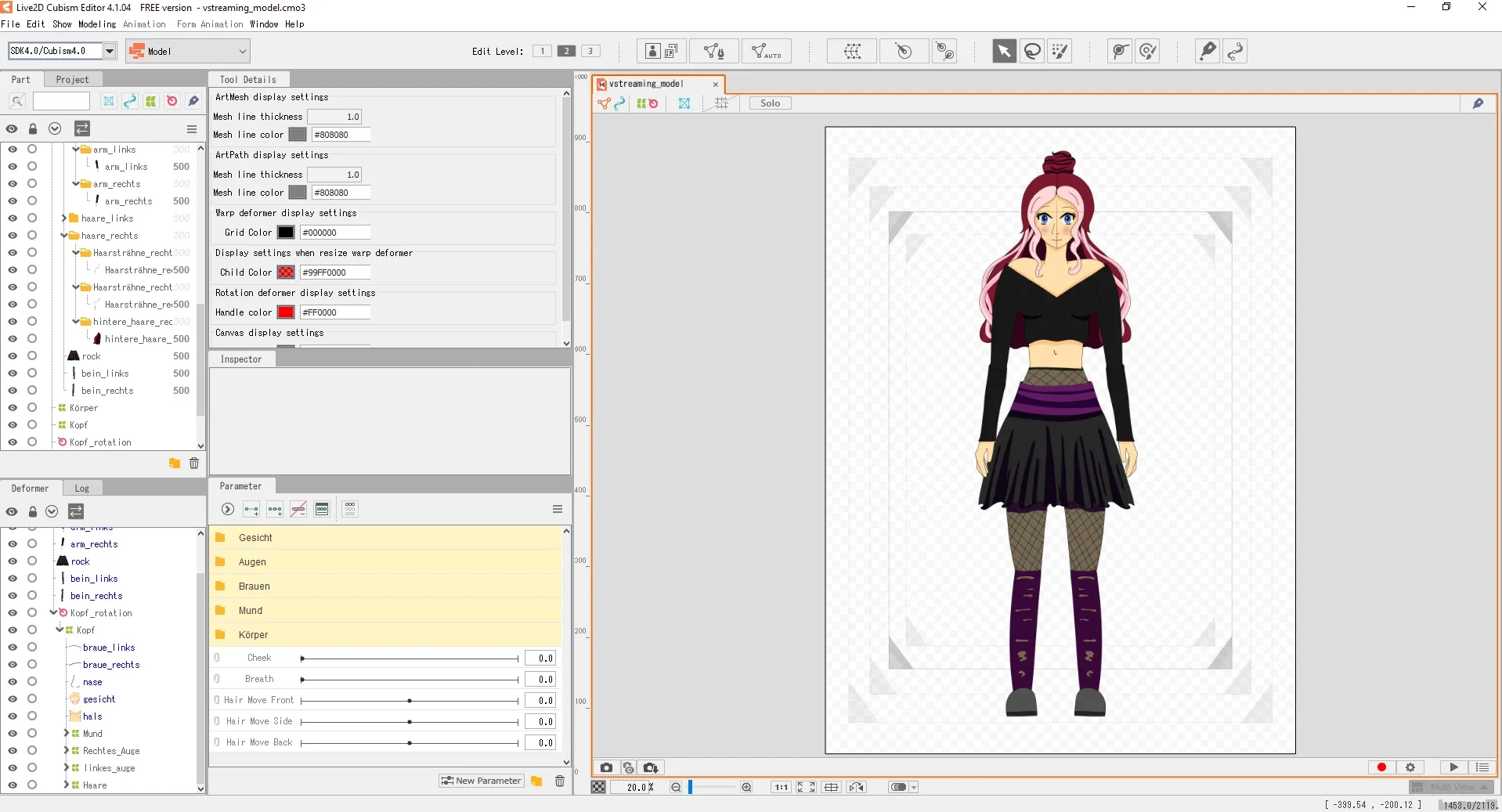 The Live2D Cubism editor
With these meshes, the objects can then be deformed. This creates the rotation of the neck, the avatar's breathing, and even the movement of individual strands of hair. During the actual rigging, you define where the movement axes lie. To finally bring the rigged figure to life, you use a program like PrPrLive, which integrates animations and plays them back via shortcuts.
 The PrPrLive interface with a sample model
For a 3D avatar, a program like VRoid Studio is the easiest option. There you assemble your figure much like character creation in a video game. Anyone who does not want a classic anime character models in Blender or another 3D software instead. Such a model needs bones, however, in order to move. In the end, the avatar should exist as a VRM file, the common format for VTuber models.
You bring the model to life with a tracking program like VSeeFace. It is free and offers beginners an easy start. In VSeeFace, you control your figure's facial expressions and gestures, adjust the display of individual emotions via presets, and can even add lighting effects like an aura around the avatar. If no webcam is available, the virtual camera mode helps, tracking the mouth only via the microphone. Once fully configured, the avatar can be used as a virtual facecam via the transparency setting.
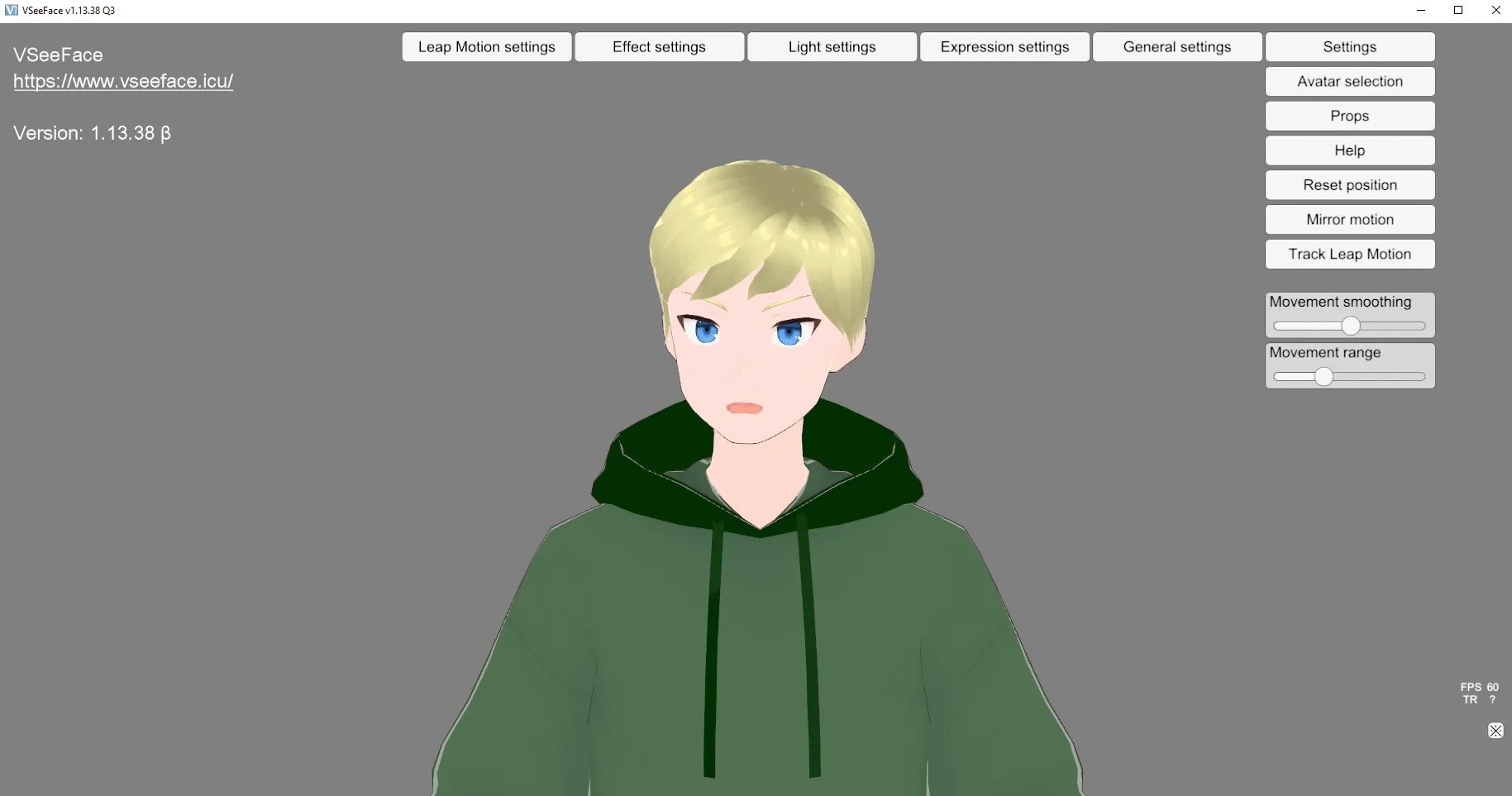 The VSeeFace interface with a sample model
Anyone who wants photorealistic avatars can hardly avoid MetaHuman by Epic Games. It used to run through the separate MetaHuman Creator, but MetaHuman is now integrated directly into Unreal Engine 5. You choose a base model, customize it to your liking, and can mix several templates into a completely new character. The level of detail can also be adjusted, for example for a deliberately reduced look.
Getting started is beginner-friendly, but the customization options are more limited than with a self-modeled character. Above all, VStreaming with a MetaHuman model requires a very powerful machine.
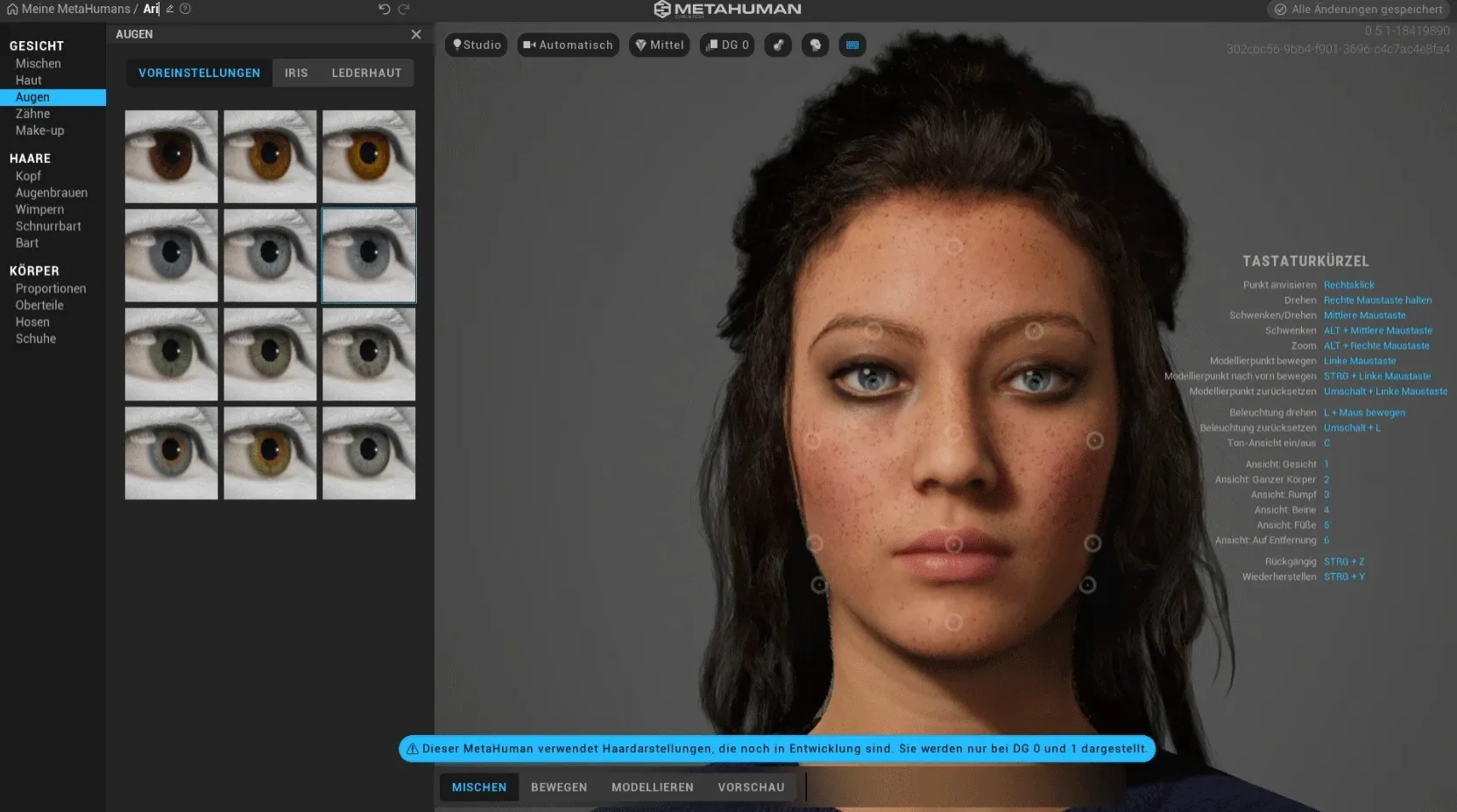 The MetaHuman editor in the Unreal Engine
For a VStreaming solution, all you really need is a webcam or a smartphone and the right software on a capable computer. There are free options like VSeeFace to start with. If you want to transfer gestures in addition to facial expressions, a Leap Motion controller comes into play. Anyone who wants to take VStreaming to the next level uses a motion-capture suit that tracks the entire body. For high-quality transmission, a powerful PC is a must, and the specific requirements depend on the software you use. Streaming via a console is generally not recommended.
At Studio Merkas, we have not just described this technology but implemented it in real projects. For the German streamer Torro, we created the avatar and set up his entire VStreaming. His avatar is a recreation of his character from the survival game Rust, which he plays in most of his streams. You can see what such a project looks like on the Torro project page.
The numbers of the scene show just how big VStreaming has become. Ironmouse became, at times in 2024, the most-subscribed streamer of all time on Twitch and is considered one of the faces of the Western VTuber movement. CodeMiko represents the technically ambitious variant: she uses a professional mocap suit and the Unreal Engine, built her model and rigging herself, and went viral when she showed a side-by-side clip of her recording and her animated 3D model. Both illustrate how different the path to your own virtual character can be.
The VStreaming trend is more popular than ever, and the barrier to entry has never been lower. For a hobby setup, free tools and a webcam are enough. But as soon as it comes to a professional, brand-ready avatar with clean rigging and stable live tracking, things get technically demanding. This is exactly where we come in: at Studio Merkas, we develop avatars and complete VStreaming solutions with Live2D, Unity, and the Unreal Engine. If you have further questions or are planning a project, get free advice. And if you want to launch your own streaming career, our 8 tips for your VTubing success offer the right roadmap.

Ready to get started?
We appreciate your interest in working with us. Whether you have an idea, a proposal, a question, or need assistance in another area, we’ll get back to you quickly—within 24 hours.